Bluetooth Connection
Establish Bluetooth connection
The software mode is divided into Interactive Mode and Download Mode, both of which require a Bluetooth connection to function.
Requirements:
● The computer must have Bluetooth functionality.
● ICBricks main controller.
Steps
|
|
|---|---|
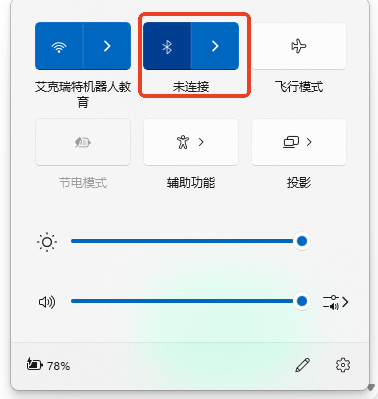
Step 1: Turn on Bluetooth on the computer.Turn on Bluetooth on the main controller. |
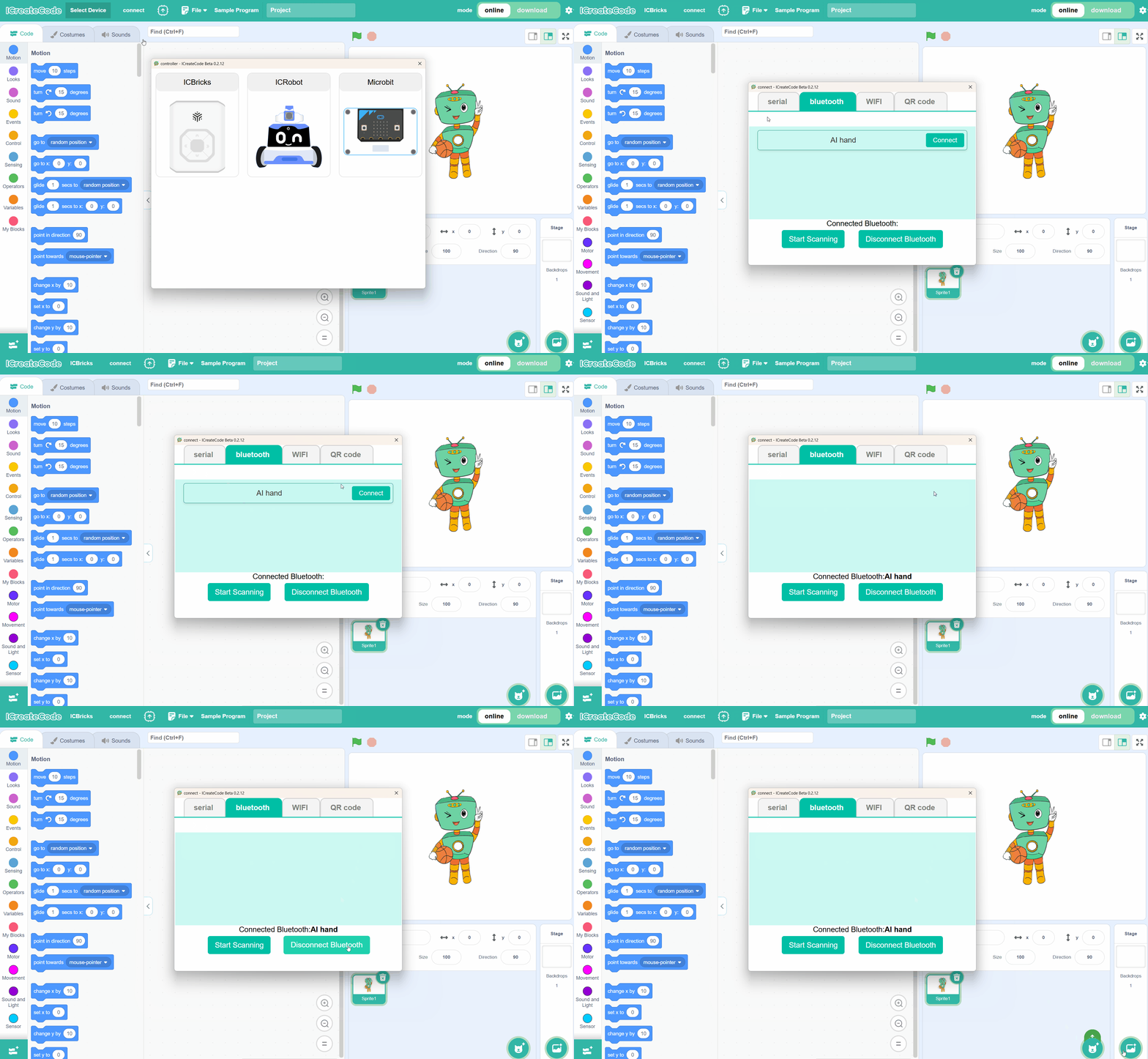
Step 2: In the programming software, click “Connect,” select the ICBricks main controller, |
|
|
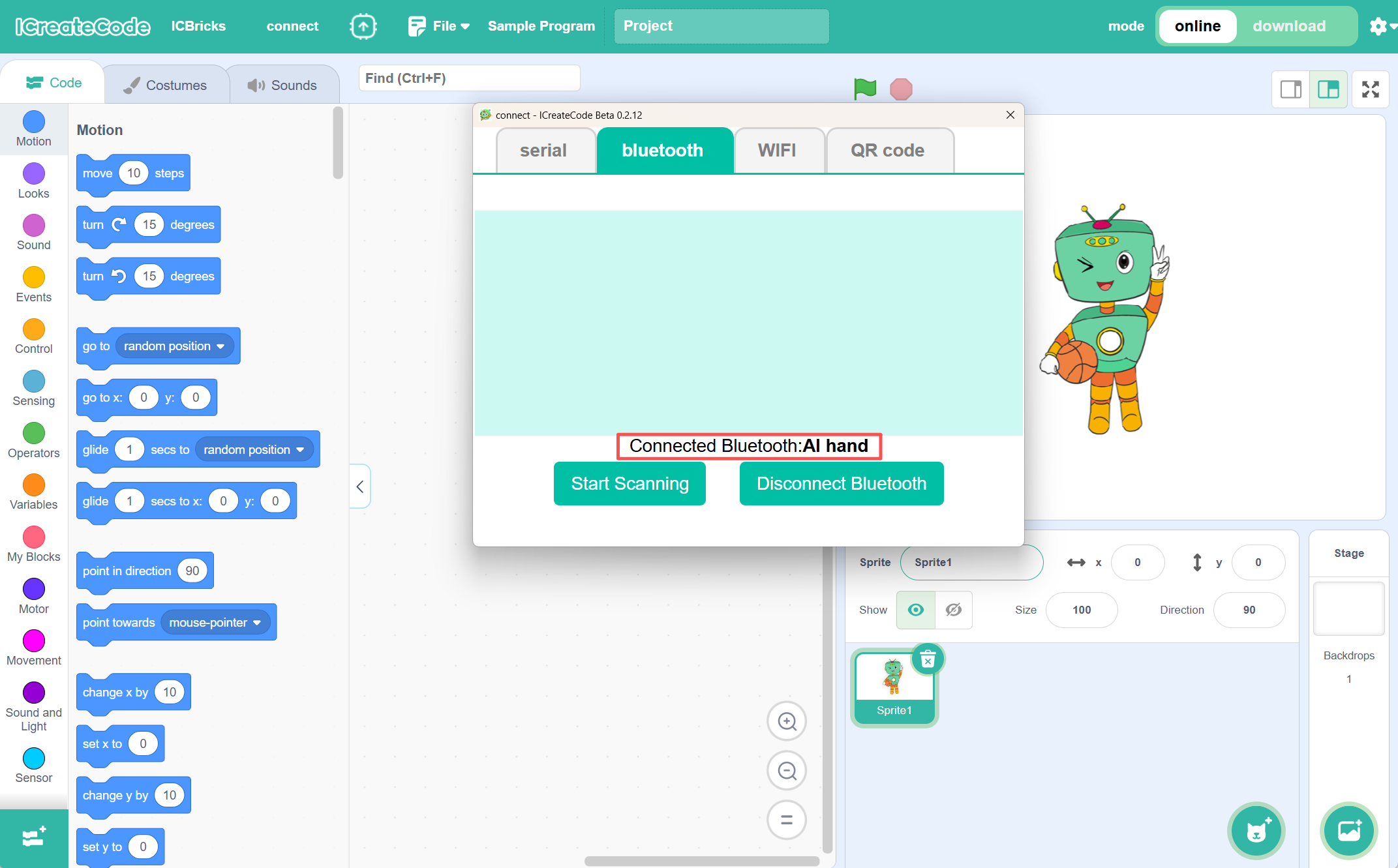
Step 3: Once the connection is complete, the software will display the currently connected device. |
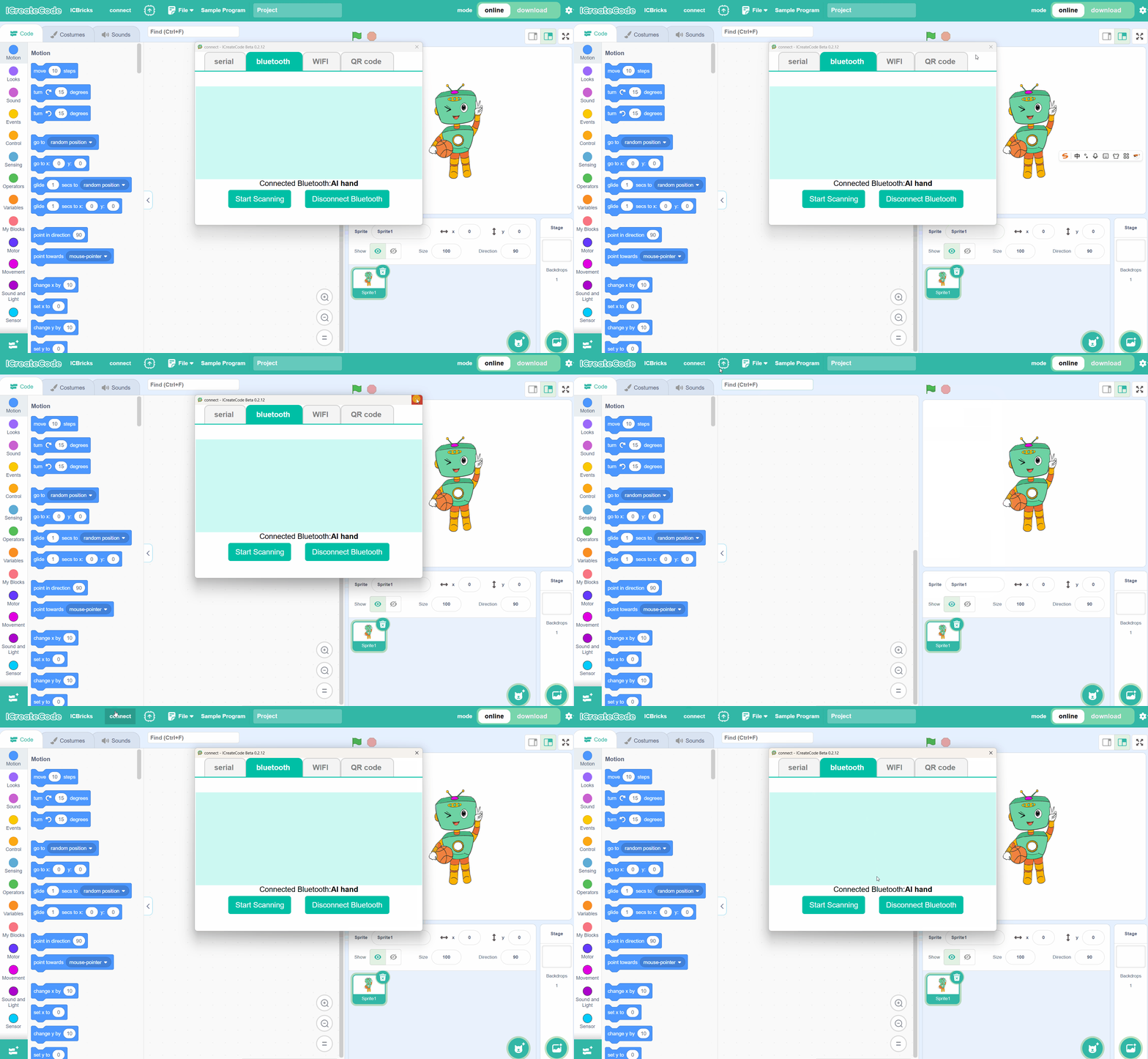
Note: If the connection window is closed, you can reopen it by clicking “connect” in the toolbar. |